

Web analytics your AI assistant can use
Connect your assistant to real website traffic. Install tracking, check live visitors, measure conversion goals, and inspect funnel drop-offs from the same conversation.
Free forever — full MCP access. OAuth or API key. No card. Listed in the official MCP Registry.
🚀 Install & set up
📊 Read & analyze
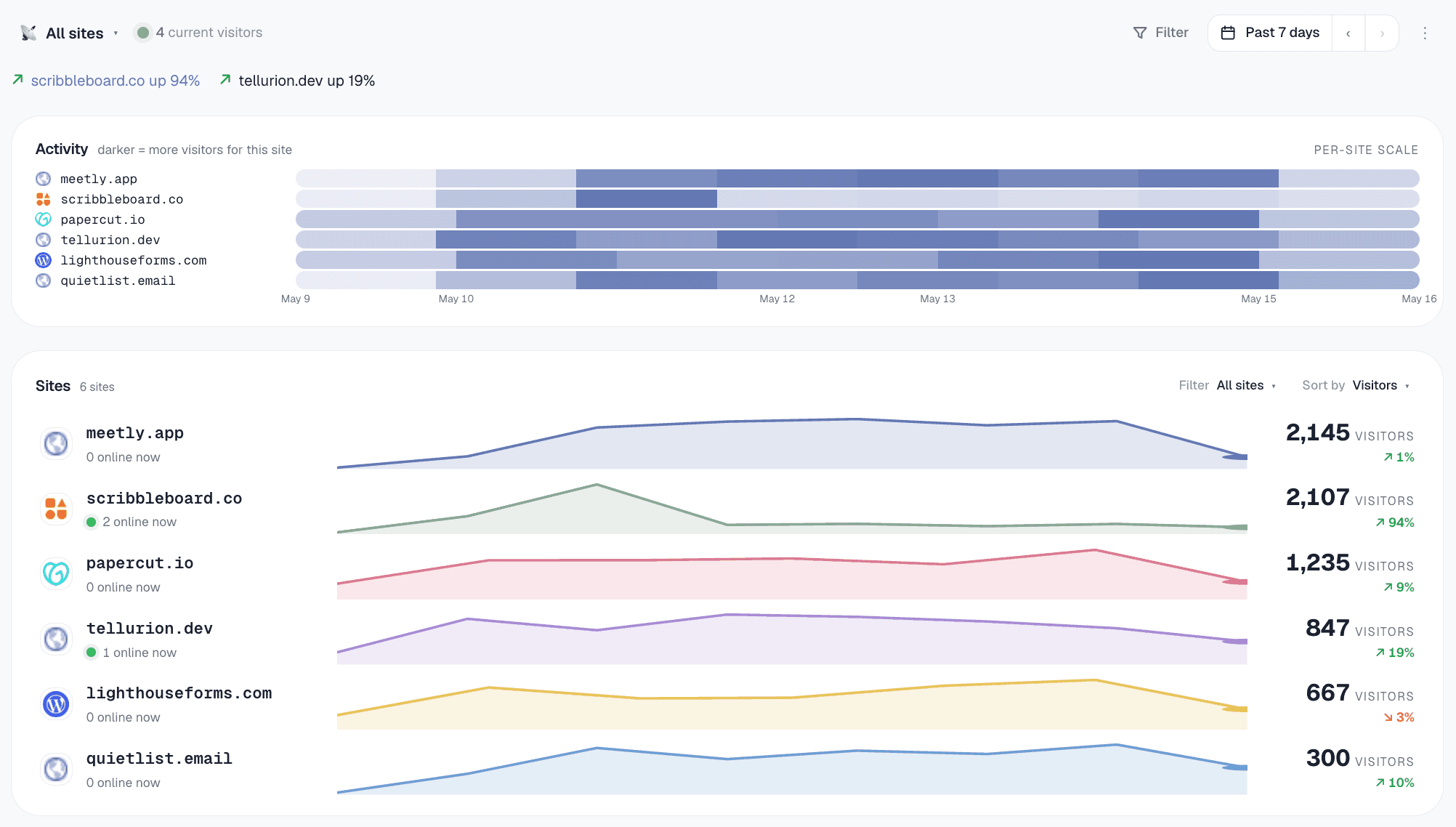
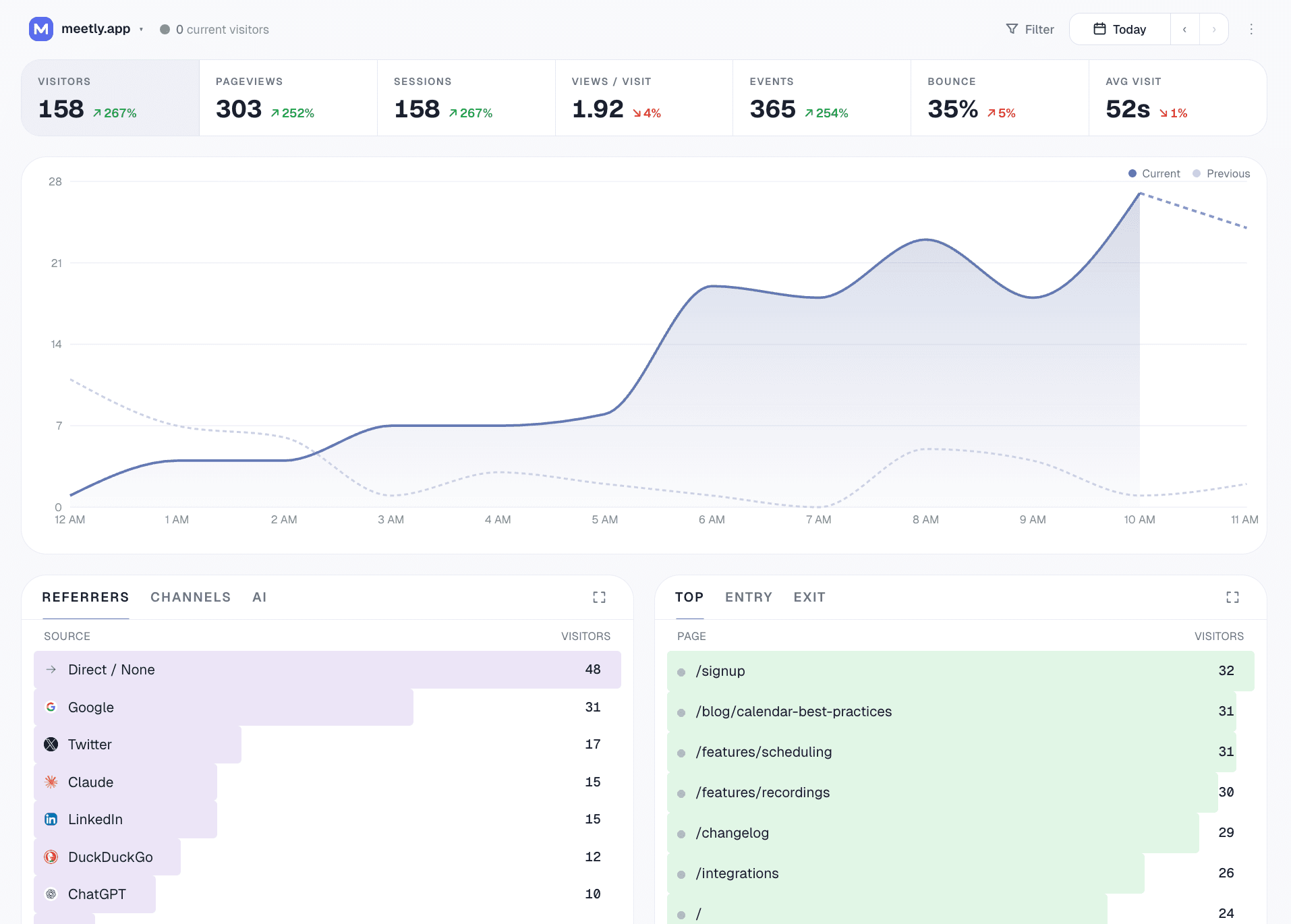
A real dashboard, not a chatbot
Gizmo ships with a full operator dashboard — the AI agent is another way to drive the same data. Fleet view across every site, then drill into any one for filters, breakdowns, and conversion goals.
What is MCP analytics?
MCP stands for Model Context Protocol — an open standard, introduced by Anthropic, that lets AI assistants connect to external tools and data without per-tool integration code. An MCP server exposes a set of named tools (each with a typed schema) that any MCP-aware client can discover and call.
MCP analytics means an analytics platform that ships with an MCP server. Your AI agent connects once — usually a single config paste — and from then on it can call any of the platform's tools natively. Add a site, query the traffic, tag a domain, run a breakdown — all just by asking.
Gizmo’s MCP tools use the same analytics handlers as the dashboard. Ask for a fleet summary, inspect a five-minute live snapshot, or audit a conversion funnel with explicit counts and measurement notes.
Why MCP analytics matters for indie operators
Zero glue code
Most analytics tools have an HTTP API. Wiring that into Claude or Cursor means writing a wrapper, designing tool schemas, handling auth, error states, and rate limits. With MCP analytics, the AI client speaks the protocol directly. One config paste and you're done.
Read AND write
MCP analytics isn't just chat-with-your-data. Your agent can also create sites, manage tags, install tracking on new domains, and update workspace state. The dashboard becomes a fallback, not the primary interface.
Fleet operations at agent speed
"Tag every site with under 100 visits last month as 'dead.'" That's minutes of click-through-each-site-and-tag-it work, or one sentence with MCP analytics. For fleet operators running 10–50+ sites, this is real time saved.
Workspace-scoped by design
Each MCP key is tied to a single workspace. Your AI agent can't escape into other workspaces, modify billing, or escalate access. Rate-limited per workspace so runaway agents can't burn your quota.
The 36 MCP analytics tools your agent can call
Tools cover traffic analysis, live activity, conversions, tracking setup, and revenue. Examples below are available on every plan, including Free; daily query limits depend on your plan.
summarize_all_sites— fleet status + needs-attentionrank_sites_by_growth— biggest moversidentify_dead_sites— never-installed + silentdetect_anomalies— unusual traffic daysexplain_traffic_change— "why did X happen?"get_realtime— active visitors and their latest pages over five minutesget_conversion_report— goal rates, funnel drop-offs, and measurement gaps
Compositions over the primitives — the agent gets analyst-grade structure, not raw counts to chain itself.
create_site+get_install_snippetget_event_tracking_snippet— custom eventsget_badge_snippet— "Powered by" footercreate_goal/list/deletecreate_funnel/list/deleteadd_site_tags+filter_sites_by_taglist_sites
Loose limits — these are bursty during setup, near-zero after.
get_workspace_overviewget_site_trafficget_top_pages/get_top_referrersget_breakdown— country / browser / device / channel / AI source / city / etc.get_time_seriesquery_eventsbreakdown_by_property— custom event props
Every primitive supports stacked filters (country=US AND device=mobile…) and custom date ranges. Tier-aware daily caps: 50/day Free → 3000/day Scale.
Real things you can ask MCP analytics to do
How to set up MCP analytics in 3 minutes
- 1Sign up freeStart free — Google sign-in or magic link. Workspace provisioned automatically.
- 2Add the Gizmo MCP server in your IDEIn Cursor / Claude / Windsurf MCP settings, add a server with URL
https://gizmoanalytics.io/mcp. The IDE auto-discovers the auth server and opens a browser tab. - 3Approve the consent screenThe browser opens our consent screen. You see what the IDE is asking for (read your analytics, set up sites). Click Allow. The browser tab closes itself.
- 4Try itOpen a chat with your AI assistant and say "add analytics to this app." The agent detects your framework, picks the right snippet, edits your layout file, and offers to verify the install once you deploy. One prompt, full setup.
- 5Manage or revokeEvery connected app shows up at /dashboard/connect/oauth. One click to disconnect.
MCP analytics — frequently asked questions
MCP analytics connects an AI assistant to website analytics through the Model Context Protocol. Gizmo exposes tools for installing tracking, querying traffic, and measuring goals and funnels, with documented inputs and structured results.
An MCP server publishes discoverable tools with input and output schemas for compatible AI assistants. Gizmo provides hosted access using OAuth or an API key, so you can query traffic and configure tracking without maintaining your own analytics API wrapper.
Claude Desktop, Claude Code, Cursor, Codex (OpenAI's coding agent), Windsurf, Cline, Continue, and Zed all speak MCP natively as of mid-2026, plus a growing list of less-known clients. Any of these can wire up to Gizmo with a single config paste — no per-client integration work on your end.
Install tracking, verify a site, read traffic and revenue, create goals and funnels, and analyze a portfolio of sites. Use get_realtime for five-minute activity, or get_conversion_report for goal rates, funnel drop-offs, and tracking gaps. Query tools support filters and date ranges where applicable.
Each connection is workspace-scoped — your AI agent can only see and modify data inside the workspace you consented to. OAuth grants are also scope-bound: you can grant analytics:read only (the AI can read your traffic but not create or modify anything), or analytics:read + analytics:write (read plus setup operations like adding a site). You can see and revoke every connected app at /dashboard/connect/oauth — disconnecting takes effect on the next request. We rate-limit per workspace (50 query calls/day on Free, scaling to 3,000/day on Scale) so a runaway agent can't burn your quota or our infra.
You can. The question is who maintains it. Every API integration is a maintenance debt: schema drift, auth refreshes, rate-limit changes, error handling. MCP is the protocol-level answer to that — your AI client implements MCP once, and from then on every MCP-native tool just works. For an indie operator running a fleet of sites, the cost of writing and maintaining custom API integrations across multiple tools is real. MCP analytics removes that cost for the analytics layer.
No, but it's where the leverage is. Even casual users get value: 'add foo.com to my analytics' from Claude is faster than logging into a dashboard and clicking through a setup wizard. The bigger leverage compounds for users running a fleet of 10+ sites or doing daily reporting workflows — having Claude pull last week's numbers and write a summary while you're still drinking coffee.
Sign up free at gizmoanalytics.io. In your IDE's MCP settings (Cursor, Claude, Windsurf), add a new server with URL https://gizmoanalytics.io/mcp. The IDE opens a browser tab to our consent screen, you click Allow, and the connection is live. Now ask 'add foo.com to Gizmo' and it does it. Free tier includes full MCP access — 50 query calls/day, 3,000 setup calls per day. If your IDE doesn't yet support OAuth-based MCP servers, /dashboard/connect still has the legacy API-key install for every major client.
Try MCP analytics today
Full MCP access on Free. 36 tools across workflows, setup, and query primitives. OAuth or API key. Wire it up in 3 minutes.
Keep reading
- Website analytics dashboardOne dashboard for every site you run.
- Web analytics toolWhat to look for in 2026, and how the options compare.
- Google Analytics for multiple domainsTracking a portfolio of sites without the GA4 property maze.
- Analytics for agenciesEvery client site in one workspace, reports in one prompt.